
Application Materials
Your application materials are a place to shine! Resumes and cover letters are excellent vehicles for highlighting your skills and experience and it's important to make sure that they are polished and professional. Explore below to learn more about each type of material and how you can maximize them.

Using AI to Help Write Application Materials
UW-River Falls students and alumni have no cost access to Big Interview’s AI Tool “Big Resume” which allows a user to optimize their resume for Applicant Tracking Systems (ATS). Through this optimization, students or alumni can compare their resume against a job description to determine possible keywords related to skills, education, experience and required job responsibilities that a potential employer may use for filtering resumes with ATS. “Big Resume” also uses AI to review resumes for credibility, formatting and spelling. This secure AI tool is approved for use with FERPA information.
To learn more about accessing Big Interview, please visit our Interviewing page.
Students or alumni may also wish to use one of the many generative AI tools that are available through web browsers and apps. These generative AI tools can potentially strengthen application materials, but like any tools, it is necessary to know how to safely and effectively use them. Below are some best practices to follow when using generative AI with application materials.
Don't Share Too Much
Use caution, as it’s important to not share sensitive personal information when using generative AI due to privacy concerns.
Start with *Your* Own Draft and then Utilize Generative AI for Edits
Generative AI should not be used to write your entire resume or cover letter, as AI tends to create shallow outputs that lack the personalization of “human voice” in their writing.
A best practice is to begin with your own draft and use AI as an editing tool.
Watch Out for Hallucinations
As AI responds to writing prompts, it may “hallucinate” and create inaccurate content. When using generative AI for application materials, it is important to engage in close proofreading to ensure content not only has a “human voice,” but is also truthful.
Avoid Icons, Graphs, and Multiple Columns
Generative AI may produce icons, graphics, multiple columns and skills graphs that can cause challenges with Applicant Tracking System (ATS) review.
Don't Use Generative AI to ENTIRELY Create Application Materials
A 2026 study cited in Forbes magazine states that 80% of hiring managers believe they can tell when application materials are entirely created with generative AI. Application materials written with AI typically lack human voice and can be repetitive in content.
Application materials created entirely by AI may not be competitive, as they can blend in with submissions of other candidates who are utilizing generative AI to create resumes and cover letters.
What You Need to Know about AI Integrated Applicant Tracking Systems (ATS)
For decades, ATS has assisted employers with managing high volumes of applications by storing and organizing application information. This tool has continued to grow in popularity. A 2026 article by Forbes magazine states 71% of hiring managers share that they use ATS. The study cited in this article states that nearly 4 out of every 10 hiring managers use ATS integrated with AI to fully screen out candidates based on pre-set criteria.
AI Combined with ATS
Many ATS tools integrate AI and AI ATS is becoming increasingly used in the hiring process. AI integrated ATS not only groups, categorizes and ranks application materials of candidates, but it can also have capabilities to post a job description on job boards, set up and conduct one-way virtual screening interviews, schedule in person interviews, ask follow-up post interview questions and handle communication to candidates on whether they were selected for a position. As a result of AI ATS impacting the hiring process, the experiences of those seeking employment in today’s job market is much different than what it was just a few years ago.
Adaptive Job Seeking Strategies in a Changing Job Market
Strategy One: Apply for jobs that closely align to experience, skills, and education of a job posting
When resumes and cover letters are initially received by employers utilizing AI ATS technology, the application materials are screened for information that is inputted into the AI ATS by an employer. This inputted information may consist of keywords significant for the position being advertised and may include “knock out” material focused on education, experience or location.
For example, if an applicant doesn’t meet the required qualifications for a position such as a necessary listed college degree, they may receive a rejection email in days, or even minutes.
Strategy Two: Create a resume that is readable by an AI ATS “robot” but also appealing in design for review by a human hiring manager
AI ATS readers can only review what they can read. As this technology is dependent on what it was programmed to read, it’s important for job seekers to be cognitive of creating a resume for both a “robot” and human audience to raise the chances of being invited to interview for a role. Otherwise, all or part of the content of a resume will be transcribed into nonsensical letters or just marked “[NULL]” which can result in a candidate not advancing to an interview.
Crucial Tips for Developing a Resume for AI ATS "Robot" Audiences
- Use simple formatting and avoid graphics, images or color blocking.
- Have high contrast in the text color, for example an excellent choice for an AI ATS resume would be black text on a white background.
- Choose a resume font that is proven to work with AI ATS, such as Calibri, Cambria, Georgia, Arial, Helvetica, Times New Roman, Garamond, Tahoma or Verdana.
- Avoid using italics or underlining text.
- Don’t format your header into the document header, as it may not be readable to AI ATS.
- Avoid icons such as those used to represent a location, phone number or email address.
- Include an address of at least city and state, as nearly 50% of hiring managers review applicants through ATS based on their geographic location.
- Add a professional summary of either three to five sentences, or three to five bullet points, about your key qualifications and how they match keywords and skills that are listed in the job description for the role you are applying for.
- Work in the job title of what is being applied to into the professional summary section as this can significantly increase the odds of being invited for an interview.
- Keep the style of how you write your dates consistent throughout your resume to avoid confusing an AI ATS “robot,” best practice is to write out the full name of the month or use a three-letter abbreviation (example: “Sep” for “September”) and the full year.
- Avoid using periods or apostrophes after abbreviated months.
- If you choose to abbreviate months, only use three letters as other styles of abbreviations can cause confusion with AI ATS.
- Headings should use common language such as “Education,” “Skills,” and “Experience.”
- Some AI ATS readers can have difficulties with reading multiple columns in a resume, as a result it’s best to design your resume to be one column.
- Don’t place content in headers, footers and text boxes.
- Graphics such as charts or skill level bars are typically not readable by AI ATS software.
- Tailor each resume specifically for the job description you’re applying for to mirror keywords, skills and experience.
Resumes
A resume is a summary of your educational and professional experiences. This may include colleges attended, work, internship, volunteer, research or other relevant experiences. The goal of a resume is to convince an employer to invite you for an interview. On average, employers spend six to 15 seconds screening a resume, so it is essential for your resume to demonstrate how your academic, extracurricular and work experiences connect to the specific job and offer evidence that you have potential to be a good fit for the position and the organization.
There is no right or wrong way to put together a resume. However, it is recommended that you spend time researching the position and organization so you have a clear idea of what to showcase as you tailor your resume to the specific job. Read the job description carefully and use it to identify keywords, skills and requirements. When tailoring your resume, highlight the skills specific to the job and use the keywords and verbiage you have gleaned from the job description and your research. Make the connection between your knowledge/skills/experience and the position apparent!
Key Resume Tips
A few tips:
- Keep a primary resume document that holds ALL your experiences so you can customize a presentation resume for each job.
- Do not use templates that can be found in Microsoft Word or other software. Start from scratch!
- Keep the most valuable information towards the top of your resume. Move less relevant items to a less prominent location or eliminate them from that version of your resume if they are not needed.
- Focus on skills that make you unique and stand out from other candidates.
Skill Statements
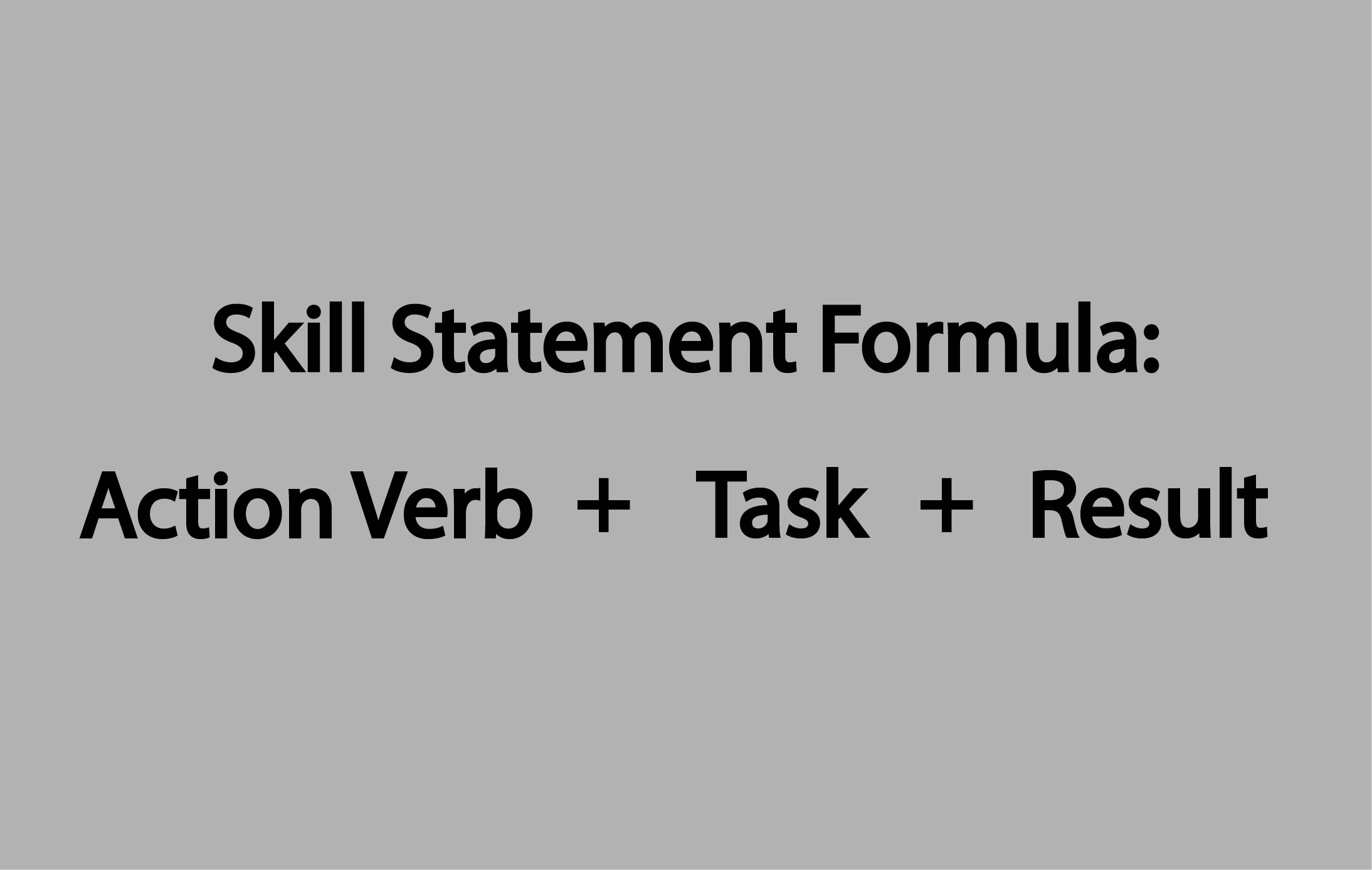
Skill Statements: A skill statement is a bulleted statement that describes the skill you gained, and duties you performed, while in a certain position. Effective skill statements are one of the most important parts of your resume. It is recommended to begin a skill statement with an action verb in the proper tense (past tense if you previously worked somewhere, present tense if you still do), followed by a task and then a result. Examples of these results could be in the form of a number or quantity, a soft skill (e.g. teamwork, leadership, etc.), a technical skill, or an accomplishment.
References
We do not recommend putting “References Available Upon Request” on your resume. References should be listed on a separate document from the resume. Ensure that all application materials (e.g. resume, cover letter, and/or reference page) have a consistent "look" by including your name and contact information at the top of each document, using the same margins, font size, font type, etc.
Example: lastname_firstname_References
Saving Your Documents
Hiring managers receive hundreds of applications and it can be difficult to keep track of 10 resumes that are all titled “Resume.” Use a consistent titling format including your name and the type of document (e.g. resume, cover letter, references, etc.) when saving each document. This makes reviewing documents easier for the hiring manager as well as demonstrates your professionalism and attention to detail.
Examples:
NancyDrewResume
Nancy Drew_Resume
DrewN_Resume
DrewNancy_Resume
Submitting Your Resume/Application Via Email
If you are asked to submit your application via email instead of through an online application process, include a short note via email including the name of the position to which you are applying and stating that the requested application materials are attached. Use professional email etiquette by including a greeting and salutation.
Example:
Additional Resources and Application Samples
Resume Samples:
- Minimal Experience Sample
- CAFES Sample
- CAS Sample
- CEBAH/SBE Sample
- CEBAH/EXSS
- Extensive Experience Sample
Sample Application Set:
Resume Sections
Building your resume is a crucial step. Explore below for helpful hints on how to organize your resume.
Resume Sections: Contact Information
- Choose a professional font (Verdana, Calibri, Times New Roman, Arial).
- Completely spell all words other than the state or middle initial.
- Your full name should be at the top of the page and in a larger font than everything else on your resume.
- Your contact information should be listed under your name (mailing address, phone number and email address).
- Use a professional email address (example: firstname.lastname@gmail.com).
- If applicable, include your shortened LinkedIn URL, online portfolio or professional website link.
Andrew Peters
5555 Riverview Avenue South, Woodbury, MN 55555
555-555-1234, andrew.peters@my.uwrf.edu
Melissa Mulberry
1003 Idaho Avenue • River Falls, WI 54022 • 555-555-5555
melissa.mulberry@my.uwrf.edu • linkedin.com/in/melissamulberry
Resume Sections: Objective (Optional)
- Most employers no longer expect or want to see an objective statement on a resume, so this is optional.
- If you do choose to include an objective on your resume, it should be clear, succinct, and tailored to the specific position you are applying for.

Resume Sections: Summary of Qualifications (Optional)
- 3-5 bullet points tailored to the position of interest in order to summarize related qualifications.
- Most commonly used when an applicant has extensive experience in their field.


Resume Sections: Education
Include degrees already earned or in progress starting with the most recent toward the top. Do not include high school.
Include:
- Degree
- College/University name
- Major
- Graduation date (month and year) even if it is a future date
- Minor, concentration, or emphasis area
- Grade point average (GPA) if it is a 3.0 or above. List major GPA instead if your overall GPA is below a 3.0 but your major GPA is above a 3.0
UWRF abbreviation can be listed immediately following the written out name of the institution if involved in campus organizations, activities or jobs. This allows you to use the abbreviation when referencing the university throughout the rest of your resume.
General


Exploratory Student

Transfer Student

Military Experience

Non-Degree Seeking International Student

Study Abroad

Resume Sections: Experience
- Tailor section headings to highlight specific experience (Teaching Experience, Marketing Experience, Customer Service Experience).
- Include relevant paid or unpaid experience.
- Reverse chronological order within sections.
General


Multiple Positions at One Organization

Resume Sections: Coursework
Coursework is helpful to include if you have knowledge from class that is relevant to the position you are applying for that has not been applied within a job or other experience. This section is more common when you do not have relevant work or internship experience in your field. After you have completed an internship or gained relevant work experience, the coursework section is not as relevant as the related knowledge and skills from class will be covered through bullet point statements under specific experiences.


Resume Sections: Campus Involvement, Volunteerism or Leadership Opportunities
In this section of your resume, you have the choice of simply listing your involvement experiences, listing involvement experiences with skill statements or a combination of both. If you choose to do a combination of both, ensure that your most related involvement includes skill statements. Involvement from pre-college years should only be included if it is very high level and/or directly related to the position to which you are applying.




Resume Sections: Professional Development
- Focus on experiences related to academics, your major or industry of interest outside of the classroom.
- You might consider titling this section presentations, training, conferences or another title that relates to the experiences listed.


Resume Sections: Military Experience

Resume Sections: Research Experience




Resume Sections: Shadowing/Observation Experience
For fields such as veterinary science, shadowing experience can be important to include on a resume.

Resume Sections: Technical, Language or Laboratory Skills


Cover Letter Writing
While applying to jobs, internships or other opportunities, you may be asked to submit a cover letter, letter of intent or letter of interest. A cover letter allows you to introduce yourself, conveys your interest in and fit with a position and organization, highlights your related skills and qualifications and demonstrates your written communication skills. Similar to your resume, your cover letter needs to be tailored to each position and organization that you are applying to. Read the job description carefully, and use it to identify keywords, skills and requirements. When tailoring your cover letter, highlight your related qualifications using keywords and verbiage from the job description and your research.
A cover letter has three main sections: the opening paragraph, the middle section and the final paragraph. Each section serves a specific purpose.
Cover Letter: Contact Information, Layout and Appearance
Your cover letter is just one piece of your application materials so it is important that the appearance matches that of your other documents. The contact information, font type(s), font size(s) and margins used in your letter should be consistent with that of your other application materials. Also, use block-style formatting meaning that all paragraphs are left-aligned, with no indentations, and ensure that your letter does not exceed one page in length.
Cover Letter: Date, Employer Information and Greeting
If the job posting mentions who applications can be addressed to, include that individual’s name here. If the job posting does not include this information, consider calling the company to let them know that you are interested in the position, and ask if there is a specific person you should address your application materials to. Some companies will provide this information and some will not.
Additionally, if you do not have a specific person to address your materials to, address it to the hiring manager (e.g. Dear Hiring Manager:). Use a colon instead of a comma at the end of your greeting.
Cover Letter: Opening Paragraph
In your opening paragraph, state the position to which you are applying and your interest in the organization and the position. If you are applying to a position because of a connection you have made, this is your opportunity to mention that connection. However, always ask permission to include their name and ensure that your connection is a reliable employee of the company or organization.
Cover Letter: Middle Section
In the middle section of your cover letter, emphasize what you can do for the company. What are your qualifications? Why are you the right person for this position? Connect your skills and experiences to the job description. There are a variety of ways to write this section of your cover letter. Some letters may have more than one paragraph in the middle section, and others may use bullet points to make it easier to read. View the examples under Cover Letter Samples below to determine which type of formatting fits your needs.
Cover Letter: Final Paragraph
In your final paragraph, restate your interest in the position, thank the employer for their time and consideration, and mention your desire for an interview. Include a salutation and leave three blank lines before typing your full name. The blank space can be used for you to sign your cover letter if you will be submitting it in-person. If you will be submitting it electronically, you can either leave it blank or create an image of your signature and place it in the document you are using to create your resume--or course scale the signature image to the appropriate size for placing it in the spot where you would sign if your cover letter was paper.
Cover Letter Samples
Cover Letter Samples:
Sample Application Set :
Career Services
Monday-Friday, 8 a.m.-4:30 p.m.